Showing posts with label Apple mom. Show all posts
, , ,

Just keep swimming

Wednesday, August 29, 2012 0 comments


As I was typing in my password for the hundredth time today, I thought: Why don't I change all my passwords to something that will remind me of all the good things in life? Something to make me think happy thoughts? Something like "justkeepswimming" or "youareawesome!" A mantra of sorts.

Then I thought of how long it would take to change all those passwords. Read the full story

, , , , , , ,

Tips for school supply shopping

Saturday, August 11, 2012 1 comments


With two kids going to school this year, I opted to do the school supply shopping on my own. I thought, "Oh, it'll be fun! " 

And in the back of my mind I thought: surely I can do it cheaper than the $75 kits through the school.

$143* later, here are my words of advice:


1. What kit, you ask? EduKit provides a brilliant service: you buy your school supplies and they deliver them to the school for you.

2. You can find your supply list simply by googling it. Target has the generic DPS list in the School Supply aisle, but of course Stapleton schools have custom lists.


3. That coupon book from Target that's been cluttering up your counter? Don't sweat it. You can get the Target App for  your iPhone to get coupons right to your phone and redeem them at the register right from your screen! No scissors required! (Coupons require planning, I find... should I buy three 8-packs and save 50 cents off $3.00, or just buy the 24 pack that's on sale for 50 cents?)


4. Speaking of brain damage: those super specific, brand name items on your list? Yeah, those are the EduKit lists. Believe me, if you get the 24 pack of Crayola Crayons instead of the same-priced 8 pack, or the Target brand of "Heavy Duty ORANGE Poly Portfolio w/o Brad, 2 Horizontal Pockets" in PURPLE (because they don't have ORANGE), it is not the end of the world. You will not be labeled as That Mom Who Couldn't Follow Directions.

5. If you are labeled That Mom Who Couldn't Follow Directions, imagine what I'll be labeled.


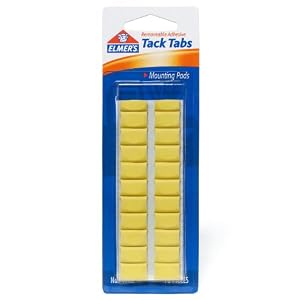
6. Even with my method of "If You Can't Find It, Pick Something Reasonably Close," I still have items I'm scratching my head over, like Elmer’s Tack Tabs Removable Putty.

7. *My boy was excited to pick out his own supplies, but halfway through the list, he was over it, and I somehow ended up spending $20 extra on toys.

8. Now I have to worry about getting it all to school, while EduKit would have delivered right to the classroom.

Conclusion? I did save money*, but made up for it with $20 in toys, and we had fun for at least 15 minutes. Next year I'll probably take the easy route and order the EduKit.
Read the full story

, , ,

i-DOH! The iPhone Doc to the rescue

Wednesday, May 30, 2012 0 comments


by contributor Maria Lucas

Hi, I'm an iPhone addict.  I love those darn things.  The accessibility of e-mails, weather at my fingertips, pinterest, being able to send pics of all our quirky adventures, maps!, those apps that are just so handy and, of course, texting.  This addiction comes at a cost though...

Like the fact that when my kids draw pictures of me now, I am always holding my iPhone.


Or the fact that I'm on my third, yes, THIRD iPhone in under a year.  Here's how my iPhones usually look...


...ouch right?  And I wish I could pass the blame on to my two little iPhone monsters, but, no, it's me.  Me and concrete.  Every time.  Concrete.

And every time, I have to pay my insurance company like $120 to send me a new one.  It's a total hassle.  I have to remember my Verizon password, know what my iPhone purchase date is (and do they mean my first one or the last one they just sent me?), what kind of iPhone it is, what my phone's serial number is... remember where I left the paperwork for who even handles my insurance... oh the agony.   Then, one day, I opened my Front Porch and there he was...


Stapleton Dad and fellow East Bridger, Ben.  God love you Mr. iRepairDoc Ben.

It's brilliant.  Not only can they fix my iPhone but they come to my house to do it.  There is no waiting for one in the mail.  No transferring phone information via iTunes.  No calling Verizon to activate and having to remember my password again!  Presto - a perfect iPhone done in less than hour and for less than my insurance was charging.

Where have you been, Ben?  What took you so long?  Anyway, I'm just glad you're here.
[your can read all about how Ben thought this up in April's Front Porch - but this is about me, not them.]

I called and made my appointment.  And looked what showed up....


...cute right?  And one of Ben's colleagues, Kyle hooked me UP.  The only scary part was seeing my phone in pieces....


Kyle was courteous, sweet, understanding.  I told him I thought this whole idea was amazing and Kyle agreed saying, "It's always the little things."  Kyle told me he looked at cracked iPhones all day while working in an Apple store and never thought of it.

So, I got a few tips out of Kyle. 
1) Forget the insurance.  Stop paying it.  It's a rip-off. 
Find out why on their blog: http://www.irepairdoc.com/blog/1.
2) You don't want your iPhone to crack?  Get an OtterBox, LifeProof or Ballistic to protect your phone.
But, as Kyle points out... these cases make the iPhone a little less accessible which is why we love them in the first place... and it's still not a 100% guarantee.
3) And, he said this nicely, "Try to be deliberate about minimizing the risk of breaking them."  Or, "Lady, stop handling your iPhone when walking down the street on CONCRETE.... FIND A POCKET!" My words, not his.

And here is the result.  Ahhhhhh...


If your iPhone is on crack.  Call them.  Support them.  I know I will (I just hope not soon).
iRepairDoc
Or check them out on-line at:
Read the full story

, , ,

I need an app to manage my daily deal vouchers

Monday, January 9, 2012 0 comments

This weekend, I got a message from Living Social that my massage voucher from Natural Balance Integrative Health in Stapleton was about to expire.

Whoa - when did I buy that?

It turns out, I bought it a year ago, then forgot about it. What a nice surprise!

Then I went through all my daily deal subscriptions to see what else was lurking out there, unredeemed.

I'm embarrassed to say there is a lot out there. An iPad cover from SkinIt. Mile High Organics (score!) Tickets to the Children's Museum. $100 at Travelocity to use on a hotel. Cupcakes at Lovely Confections. A mani/pedi at Blossom Nail Salon. A visit to The Wax House. Lunch at Blue Fin Sushi.

So I bought the SkinIt iPad cover - and have a 15% off coupon to share, got my mani/pedi (aaahhhh), and spent an hour on Travelocity's website before calling it a day.

There's gotta be an app for that! Managing your daily deal subscriptions and vouchers, making sure they don't expire...

How do you manage your daily deals? Read the full story

, ,

Needed: kid safe software

Tuesday, November 22, 2011 1 comments

There's gotta be an app for that: I need child safe software on my Apple products.

My 5 year old likes to play Angry Birds on my iPad. He's up to Level 10, he informs me. I found him watching a gory video on YouTube called Day of Death, or something. It was bloody. He said Angry Birds sent him there.

Really, Angry Birds?

Then we got on my MacBook to find the Nick Jr. Website. Up popped a porn site.

Really?!


I don't know where to begin, or even the proper name of what I'm looking for. Any suggestions? Read the full story

, , , , , ,

The happiest place on earth.

Thursday, November 10, 2011 0 comments

A confession: I have been working on a Mac PowerBook that was a wedding gift from my husband in 2004.

Yes, that baby is 8 years old - and still going strong, except that I filled up the hard drive completely with photos, videos and music. Oh, and the operating system was no longer update-able.

And it ran pretty slow.

And the calendar stopped syncing with my iPad and iPhone, so I started missing lots of appointments. Like, I didn't know my kid had school off until another Mom on the playground told me.

I don't want to complain. But it was time to buy a new Mac.

So we had this day planned for weeks, and I woke up like it was Christmas morning, because you know, the Apple Store is like Disneyland for adults. Everyone working there is so darn happy! The people shopping are happy, despite being packed shoulder to shoulder at every available table, counter and shelf. The people at the workshops are happy, although how they can hear one word is beyond me.

So we were happy when we walked in, happy while we picked out our iMac, happy while we set things up, happy while the Apple employees passed around my 8 year old PowerBook in awe, treating it like the well preserved relic it is. And three hours later, I left the proud new owner of a screaming fast iMac. And a new iPhone 4S. I am beyond excited.


So here are my tips for making the most of your trip to the Apple Store:

1. Don't worry about price. Apple products are worth every penny you'll spend on them. They are ridiculously generous with hard drive space and memory, even in the base models. They last forever - despite constant upgrades - witness my 8 year old, still running strong PowerBook. Plus, you can finance them, and interest rates are low.

2. Apple products don't come with operating manuals because they are really that simple to use. If my 3 year old can figure out how to use the iPad and iPhone, so can you.

3. Go to the workshops. They're fun, you'll meet nice people, and you'll learn a lot.

4. Don't be afraid to ask stupid questions. The Apple employees are trained to always agree with you. "You know that app, from the commercial, and the song that goes "na-na-na-na, lama lama?" "Yes, I know exactly what you're talking about, I love that one!"

5. Ask them if Apple Care includes babysitting. Oh, go on.

6. Setting up your product is the most enjoyable part of the purchase. You don't have to think, just follow instructions from a happy kid making rounds of the set-up table. The more, the merrier!

7. Let your kids play with it. My 5 year old found the coolest space app called Solar Walk and we goofed around for an hour with that.

8. Pssst... you know how you're always wondering what to get your husband for Christmas? The iPad is always the right gift. You just can't go wrong. Read the full story

, , , , ,

Taking better pictures: The Digital Divas workshop at Mike's Camera October 19

Monday, October 3, 2011 0 comments

It's no secret that I am not the world's greatest photographer. I rely on my iPhone's camera for pretty much everything, and I don't know squat about composition or lighting or angles. Or editing. (Thank goodness for InstaGram!) Then they pretty much remain in the ether forever.

Then Mike's Camera invited me to their free Digital Divas event coming up in October - for ladies only. All about taking better pictures and getting them off your computer, with wine and food and giveaways. At all three locations.

Register for Boulder Store Digital Divas- Wednesday October 12, 20111
Register for Denver Store Digital Divas- Wednesday October 19, 20111
Register for Park Meadows Store Digital Divas-Wednesday October 26, 20111

The Evening’s Program & Creativity Stations
● Portrait Photography Studio- Live Demo
Emphasis on lighting for photographing families, kids & you!
● Photoshop Elements Quick Tips- Live Demo by Photoshop Guru Ryan Lambrecht
Simple tips and tricks for creating more pleasing photos
● Creating PhotoBooks- Live Demo
Steps to take to simplify and facilitate the workflow process for creating Photo Books
● Creating Photo Greeting Cards- Live Demo
Tips and workflow creating customized Photo Greeting Cards for the Holidays
● Photo Gifts- Creation Station for Everything PHOTO including NEW Metal Prints
A showcase of various Photo Gift options and customization
● Travel Planning- Tips for Capturing Great Travel Photos
Ideas on what you should take to protect your gear while traveling
Products that are useful to have with you while on vacation
How to get the most out of your vacation pictures
● Photo Storage & Archiving- Best Practices for Avoiding Computer Crashes & Loss
Archiving Online, DVD, Back-up of Images on Your PC
Online storage vs. External Hard drives.
● Creating Wall Art with Your Photos
Your prints output on stretched canvas, watercolor papers, metal and ceramic.
Image treatments, custom framing & finishing solutions for display
● Choosing the Right Digital Camera that’s Right for You
Compact, Super Zoom & D-SLR: Advantages and disadvantages of each,  Choosing the right accessories available for each style of camera and overview of upcoming Classes & Workshops that will have you how to taking better pictures than you ever though possible!
● Beauty Brands, Salons, Spa Superstores
Makeup tips, Lotions/ Potions, & Preparation you for your portrait!


Snacks and beverages will be provided as well as delectable desserts from Gateaux, Denver’s premier bakery. Beauty Brands will offer beauty tips as well as host a makeup station prior to your close up at our complimentary portrait studio where you’ll receive a free 5x7 portrait at the conclusion of the evening along with other spectacular raffle giveaways. Digital Diva Passport (provided) will be your entry for the drawings for our raffle giveaways provided by Mike’s Camera and our event partners,  John Atencio Jewelers, Mountain Sun Pub & Brewery, and Colorado’s award winning florists, Bouquets.


Read the full story

,

Apple picking

Monday, September 26, 2011 1 comments

We went apple picking in upstate New York. My husband grew up with this rite of passage. For me, it was a first. the things memories are built on.


What are the rituals you are creating for your kids?

Photos created with InstaGram on my iPhone. Read the full story

, , ,

Harvest time: tomatoes

Sunday, August 28, 2011 0 comments


Originally uploaded by StapletonLiz

This is one days harvest from two tomato plants growing in pots in my backyard. They are mouth-wateringly delicious.

We cut them up, cut some basil leaves and drizzle with olive oil. Add some mozzarella... Caprese salad!

Try this recipe for roasted corn and tomato pasta salad from Whole Foods... their iPad recipe app is my go-to cook book. Just search on your ingredients, and up comes something good.

Roasted Corn and Tomato Pasta Salad

4 ears corn, shucked, kernels removed
6 medium tomatoes, coarsely chopped
2 cloves garlic, finely chopped
2 cups chopped spinach
1 cup crumbled blue cheese
1/2 pound dried penne or fusilli pasta
Juice of 1 lemon
1/4 cup extra virgin olive oil
1/2 cup toasted pumpkin seeds or walnuts
Salt and pepper to taste
Method

In a medium skillet, dry-roast corn over medium heat, stirring frequently, until lightly browned in spots, about 5 minutes. Place in a large mixing bowl with tomatoes, garlic, spinach and blue cheese. Set aside. Cook pasta according to package directions and drain thoroughly. Add hot pasta to bowl with corn mixture. Stir to wilt spinach and blend ingredients. Drizzle with lemon juice and oil. Toss with pumpkin seeds, season with salt and pepper and serve.


Did you know most off-season (that's October through June)tomatoes in our grocery stores are grown in either California or Florida? The ones from Florida get doused in 8 times the pesticides - Florida's damp, humid, sandy, buggy climate is not exactly ideal for growing tomatoes.

So eat em up while they're in season and local, with no nasty pesticide residue. Share your favorite farmer's market recipe! Read the full story

Warning: You need a new Mac, already!

Sunday, July 31, 2011 0 comments

It was inevitable that this day would come.

I just got a warning that my hard drive is almost full. It happened while I was downloading 483 photos from my camera (hadn't downloaded since last Halloween, story of my life, always behind on something), and I knew the day would come when my music, photo and video files would just be too much.

My Mac PowerBook G4 is almost seven years old. I know, I know... I need a new Mac, but this baby is still running strong, and it's kind of a badge of honor to be using it. And I have my iPad2 to do just about everything on.

But it's reaching the point where I'm seriously limited in what I can do with it. I'm still System 10.4.11 which is ancient, and Apple doesn't even support it anymore. I don't blame them. Just because they build laptops that are indestructible doesn't mean they have to support them. And that means iTunes and iPhoto are leaving me behind, which means I'm not completely syncing with my iPad and iPhone anymore.

I bought AppleTV to move all my photos and music to, but... right, it doesn't support System 10.4.11. And is it like a hard drive to store stuff, or do I have it all wrong?

What do you do with old Macs? Is it worth it to upgrade as much as is possible, or just give it to my boys and get a new one? And can I hire somebody to help me put it all together? Are there Mac consultants who do this? Surely there is someone in Stapleton who is in business helping people connect our Apple products? Read the full story

,

What FaceTime is really like

Wednesday, June 29, 2011 0 comments

We bought iPads so we could do FaceTime while Dad is travelling. It always turns into a brawl.

Read the full story

, , , ,

Cool accessories for your iPad

Wednesday, June 8, 2011 1 comments

Did I mention I got the iPad2? And how much I LOVE it? And how I'm ready to redesign my whole house around it? But it seems so.... thin. And fragile. Like I need a cool, customizable case for it.


Like these customizable cases from skinit - and today only you can get one for half off at Plum District. Go get one now.


You could even get Dad one for his favorite sports team.
Read the full story

,

iPad shopping

Friday, May 27, 2011 0 comments

I'm standing in the middle of the apple store getting ready to buy my iPad. So excited, Read the full story

Dear Evite

Saturday, March 26, 2011 0 comments

Dear Evite,

What happened to you? You've become so difficult to use!

First of all, you're not very friendly with my iPhone. When I get an evite, I can never see the invitation. I live on my iPhone. Last I checked, there's no app for that.

Second, you've got these gargantuan full screen ads up all the time. I can't escape them. I can't X out, or scroll away, or let you know that, YES, I am already subscribed to Living Social and NO, I don't want to do it again. Literally, I cannot get past your home page to see my son's birthday evite.

Third, all I hear from other moms are complaints. They can't read the evites or open them. They didn't get them. The count was all wrong.

I hate to complain, but come on.  Read the full story

, ,

The damage a 1 year old can do

Saturday, January 29, 2011 3 comments


Originally uploaded by StapletonLiz

While I was in the kitchen my 1 year old was quietly prying the keys out of my laptop. I think they're done for. My poor Mac.

Read the full story

, , ,

I need an organizer for my calendars

Monday, November 1, 2010 2 comments

Today I dropped my preschooler off for Lunch Bunch, followed by his afternoon preschool, and took my 1-year old home for his nap. When I came downstairs, I had missed eleven calls. From my husband and the preschool.

{{Panic}}

My voicemail informed me that I was 20 minutes late for my helping parent day, which includes bringing snacks for 15 hungry kids. Isn't that the call ever parent dreads getting?

My husband was on the way out of his office, cancelling phone calls and meetings to try to cover for me. Quite irritated, as you can imagine.

And I was just sick. Not only did I doubt my ability to find someone to watch my sleeping 1-year old, but the helping parent day is extremely important to my boy. If he knew I missed it, he would just be devastated.

By the time I called, in tears at this point, they had already covered it. One mom took my place, another mom provided the snacks, and my boy was none the wiser. That's what a good community does for each other.

But how did I miss it?

"Don't you track these things?" My husband asked.

Of course I do. On my iPhone. Which syncs to my Mac and sends me alarms and whistles. But this particular date did not make it onto my iPhone, I don't know how or why. It didn't make it onto any of my calendars.

And yes, I have several back-up calendars to try to avoid situations just like this one.

I have the Zoo monthly calendar hanging up, with all the soccer games marked so my boy can see them.

Then I have my paper planner, the old-school kind, with notes and to-do lists and phone numbers and receipts all jammed together.

Then I have a white-board to try to keep track of Dad's travel schedule, housecleaners, babysitters and zoo camps.

I even have an app to try to pull it all together. I don't use it.

Please chime in, let me know I'm not the only one this has happened to. How do you keep multiple schedules organized and in one place? Read the full story

, ,

How long does it take a 4-year old to figure out the iPad?

Tuesday, July 13, 2010 0 comments

At the Aspen Ideas Festival, Jeffrey Katzenberg, the CEO of DreamWorks animation, made the pronouncement that technology is innate, relating how he put two 4-year olds in a room with an iPad and a few apps, and they figured it out in 10 minutes.

This is a revelation? All they had to do was ask any mother of a 4-year old, and she could tell you that if you put a 4-year old in a room with an iPad and a few apps, it would take him 27 seconds or less to figure it out.

Ask my sister. My son got hold of hers. He figured out my iPhone, my iPod Touch, my digital camera, the DVD players and iTunes. The only thing that still eludes him is the universal remote for our HD TV setup. Read the full story

, , ,

What to do when your child destroys your iPod Touch

Wednesday, June 30, 2010 1 comments

What do you do when you find your 1-year old dunking your iPod Touch in the toilet, then hold it to his ear and say "Dadda"?

1. Fight the urge to laugh
2. Scream "NOOOOOOOOOOO!"
3. Grab the iPod and see if it's still on, and miraculously, it is.
4. Towel it off and check if it's still working, and miraculously, it is.
5. Tell your laughing child it's OK, Mom's not mad, but don't ever ever ever touch this again. Ever.
6. Put it in the refrigerator to dehumidify.
7. Forget about it for several hours.
8. Reach for the butter, find it, and see with dismay a black unresponsive screen.
9. Curse.
10. Curse Steve Jobs for inventing such an evil gadget.
11. Calculate all the songs and kid's shows that weren't backed up.
12. Think of all the hours on the plane tomorrow that you won't have the iPod to entertain the kids.
13. Weep.
14. Watch your husband weep when you tell him.
15. Pronounce that you can't have anything nice, because your kids will just destroy it.
16. Realize you sound just like your parents.
17. Tell the 1-year old it's OK. He doesn't understand and laughs.
18. Stick the iPod in a bag of rice to dehumidify.
19. Pray.
20. Remember the last time this happened, it was all OK once I synched it with my Mac.
21. Schedule an appointment with the Genius Bar at the Apple Store. They can fix anything. Read the full story

, ,

$600 worth of electronics in my refrigerator

Monday, March 29, 2010 3 comments

Uh-oh.

I spilled orange juice all over my iPhone. I was trying to get the lid on my 4 year old's cup for the car with the baby in one arm, and the phone was on the counter in the spill zone... dumb, dumb, dumb.

Yes, I got my iPhone wet. It seemed to be working fine, dialed fine, but then I realized I couldn't hear anything. It works on speaker, though.

I hope the insurance I bought covers orange juice spills. I distinctly remember asking about kids and water damage and the guy told me, "They cover everything but dropping it."

I've got an appointment at the Apple store tomorrow morning.

I'm also bringing in my husband's iPod that stopped working, probably from moisture from his gym bag or something. I'm pretty sure we don't have insurance on that one.

A while ago, I ran my husband's phone (not an iPhone) through the washer, and a guy at Radio Shack told me to put the phone in the refrigerator overnight, it will de-humidify it. It didn't work that time, but the phone had been through a 35 minute soak, rinse and spin. This is just orange juice.

Worth a try.

Or, I might try keeping it in a plastic baggie full of rice. In the fridge.

**UPDATE**

It worked! I plugged in my iPhone to sync it with my computer and back everything up, and I had lots of software updates I hadn't done. It took almost an hour to load them all up, and when the iPhone restarted -- voila! -- everything works.

Thank the Lord. Read the full story

, ,

A mom's starter kit of iPhone apps

Sunday, January 31, 2010 4 comments

I've had my iPhone for a month now. I love love love it. But I'm new to the whole Apps thing. I've only got a few. I use them a ton. I'm sure there is a whole universe of creativity out there to be explored, but for now, he's my starter-kit suggestions.

1. Flickr app -- so I can send pictures & movies right from my phone to my Flickr account, and from there, right to this blog. Like this one of my boy wearing his Broncos uniform to Stapleton All Sports class.


2. Facebook app. I used to wonder how people had so much time to be on Facebook, all the time. Now I know. They're using their phones to send updates.

3. Twitter app by Echofon. Ditto. I am addicted to Twitter, thanks to Echofon.

4. Urbanspoon. This is the app that helps you find a restaurant near you, when you just can't decide. You just shake it, and just like a slot machine, the location, cuisine and restaurant mix up to produce a new result. I keep shaking my phone, though, which makes me feel like an idiot.

5. Baby Sign. First of all, it makes me laugh. Who doesn't want to say "angry alligator" in sign language? Second, it's practical. My 10 month old think I'm hysterical asking him if he wants "more food." Of course I do, Mom!

6. Moron Test. Of course, you have to have one game. Good for waiting in line at the grocery store. Don't try to do this one quickly.

7. Pediatric Symptom MD. For all of you internet hypochondriacs like me, a whole new world of symptoms to explore. Within a half hour of installing this, I had my 3 year old at the pediatrician's to get a strep test. It came back negative, and his high fever turned out to be only 99, but you can never be too safe.

So what suggestions do you have for me? Why doesn't Barefoot Contessa have an app yet? Read the full story